

 Set up docs MCP
Erathos는 불필요한 오버헤드 없이 완벽한 제어 기능을 제공하도록 설계된 ELT 플랫폼으로, 팀이 SaaS 도구와 데이터베이스에서 웨어하우스로의 모든 동기화 작업을 관리할 수 있습니다.
개요
Erathos는 SaaS 도구, ERP, CRM에서 ClickHouse로 데이터가 이동하는 과정에서 모든 동기화 작업을 확인하고 제어할 수 있도록 지원합니다. 파이프라인을 내부를 알 수 없는 예약 작업으로 관리하는 대신, Erathos를 사용하면 동기화를 실시간으로 모니터링하고 제어할 수 있으므로 문제를 조기에 발견하고 웨어하우스를 최신 상태로 유지하기가 더 쉬워집니다.
Erathos를 ClickHouse에 연결하기
ClickHouse 자격 증명 확인
ClickHouse Cloud에서 서비스를 생성한 후 다음 필수 설정을 확인하십시오.
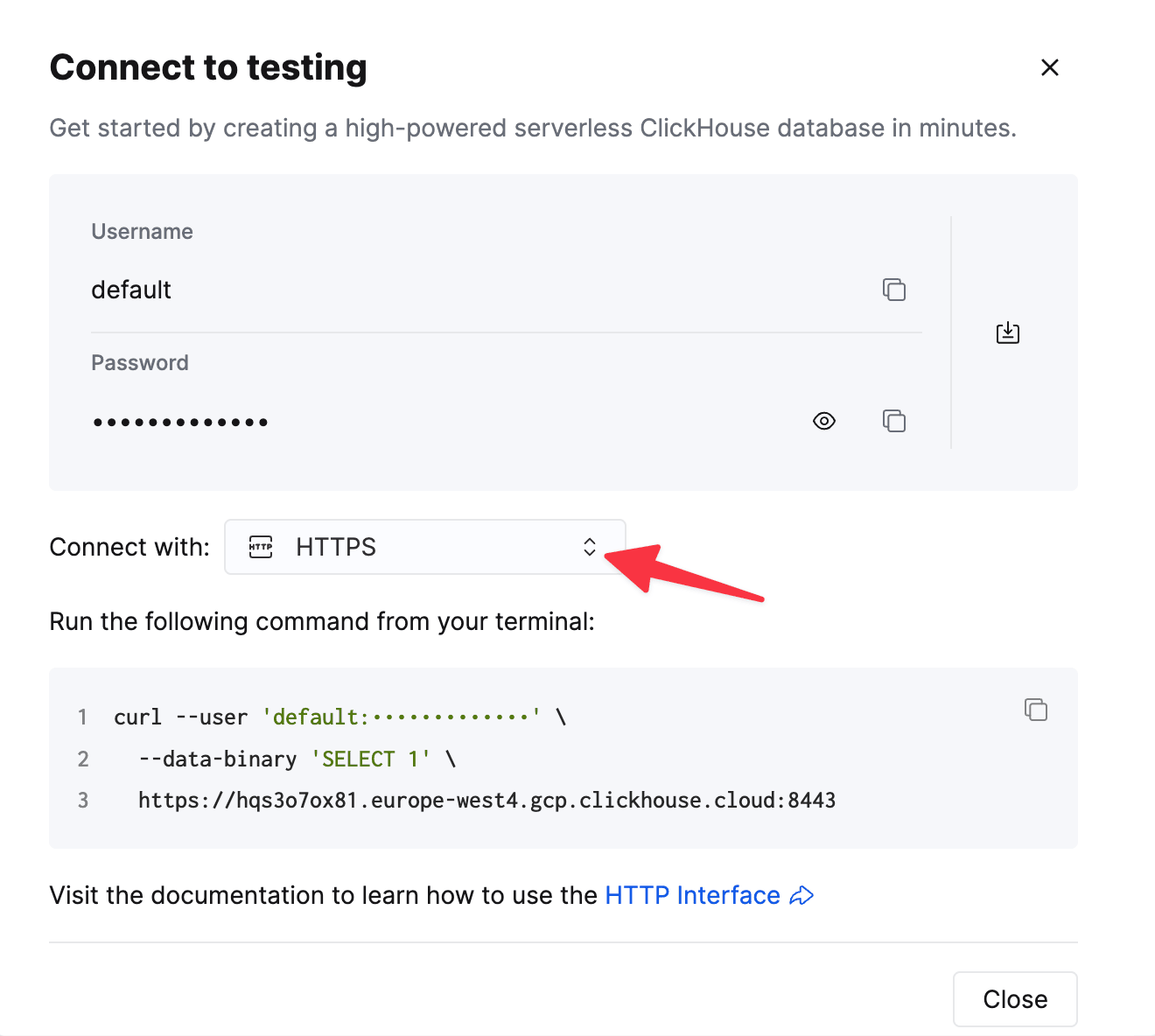
To connect to ClickHouse with HTTP(S) you need this information:
| Parameter(s) | Description |
|---|---|
HOST and PORT |
Typically, the port is 8443 when using TLS or 8123 when not using TLS. |
DATABASE NAME |
Out of the box, there is a database named default, use the name of the database that you want to connect to. |
USERNAME and PASSWORD |
Out of the box, the username is default. Use the username appropriate for your use case. |
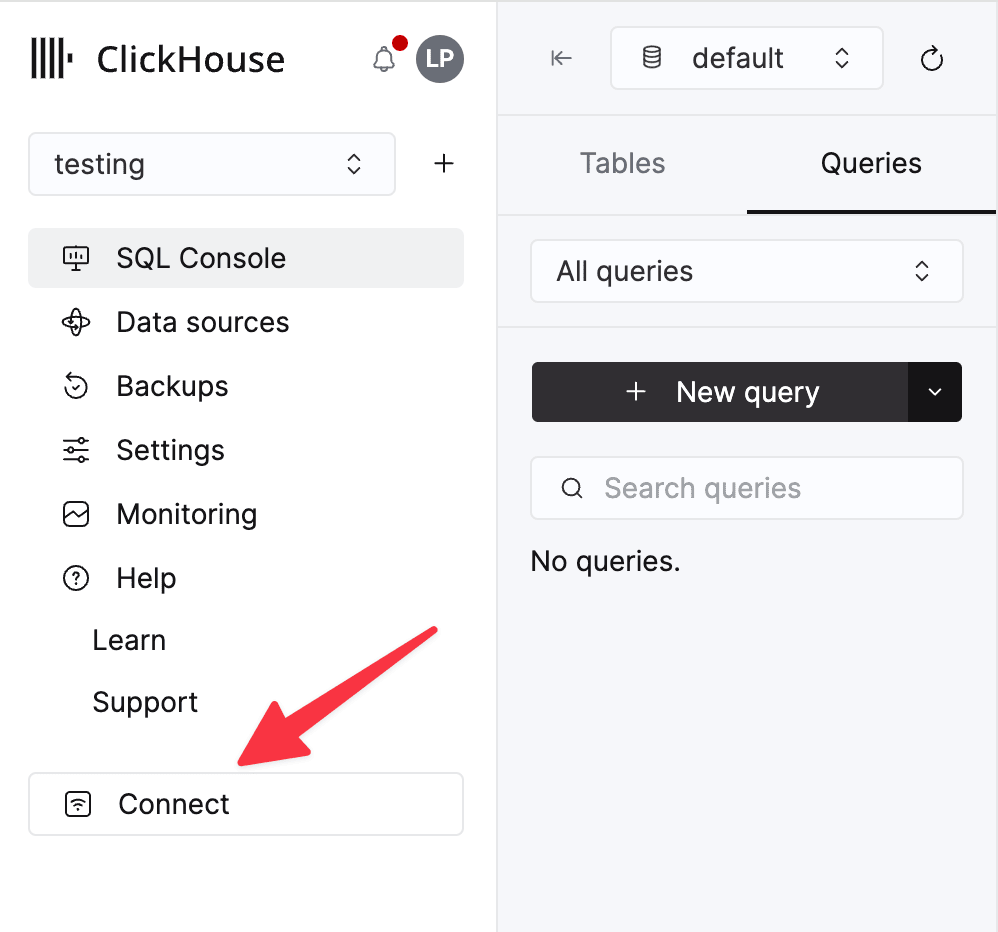
The details for your ClickHouse Cloud service are available in the ClickHouse Cloud console. Select a service and click Connect:
Choose HTTPS. Connection details are displayed in an example curl command.
If you’re using self-managed ClickHouse, the connection details are set by your ClickHouse administrator.
Erathos에서 대상 구성
Erathos에서 Settings > Destination으로 이동해 ClickHouse를 선택한 후 다음 정보를 입력하십시오.
- Host — ClickHouse 서비스 URL(ClickHouse Cloud URL은 일반적으로
.clickhouse.cloud로 끝납니다) - Port — HTTPS 연결에는 일반적으로
8443 - Username — 일반적으로
default - Password — 위 계정의 비밀번호
구성을 저장하여 연결을 완료하십시오.
추가 리소스
자세한 내용은 Erathos의 ClickHouse 대상 커넥터 문서를 참조하거나 support@erathos.com로 문의하십시오.