

 Set up docs MCP
由社区维护
Erathos 是一个 ELT 平台,让团队能够轻松掌控从 SaaS 工具和数据库同步到仓库的每个同步作业。
概述
Erathos 可让团队全面掌握和控制从 SaaS 工具、ERP 和 CRM 同步到 ClickHouse 的每个同步作业。Erathos 不再将管道作为不透明的定时作业来管理,而是让您能够实时监控和控制同步,更轻松地及早发现问题,并确保仓库中的数据保持最新。
将 Erathos 连接到 ClickHouse
查找您的 ClickHouse 凭据
在 ClickHouse Cloud 中创建服务后,找到以下必填信息:
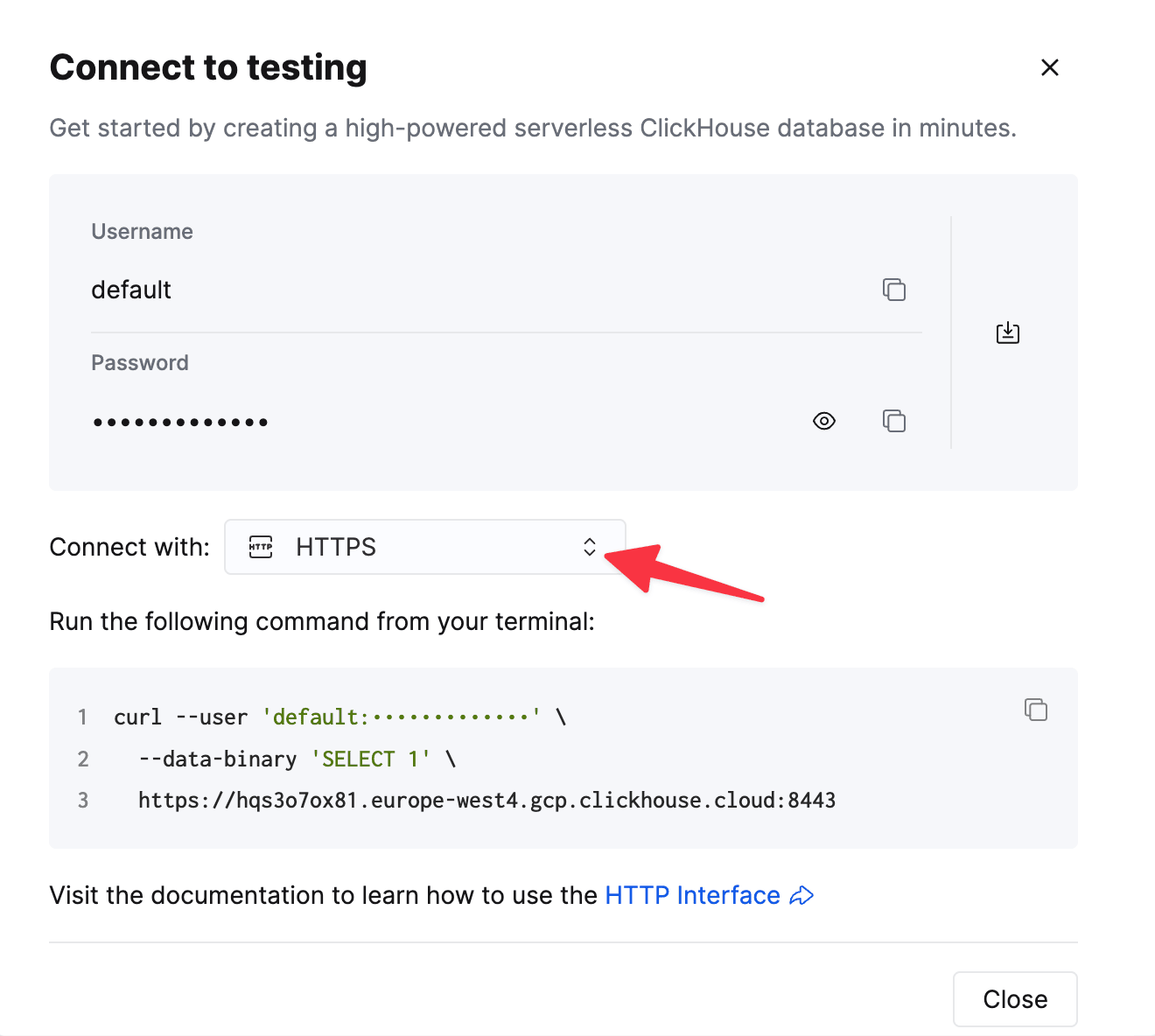
To connect to ClickHouse with HTTP(S) you need this information:
| Parameter(s) | Description |
|---|---|
HOST and PORT |
Typically, the port is 8443 when using TLS or 8123 when not using TLS. |
DATABASE NAME |
Out of the box, there is a database named default, use the name of the database that you want to connect to. |
USERNAME and PASSWORD |
Out of the box, the username is default. Use the username appropriate for your use case. |
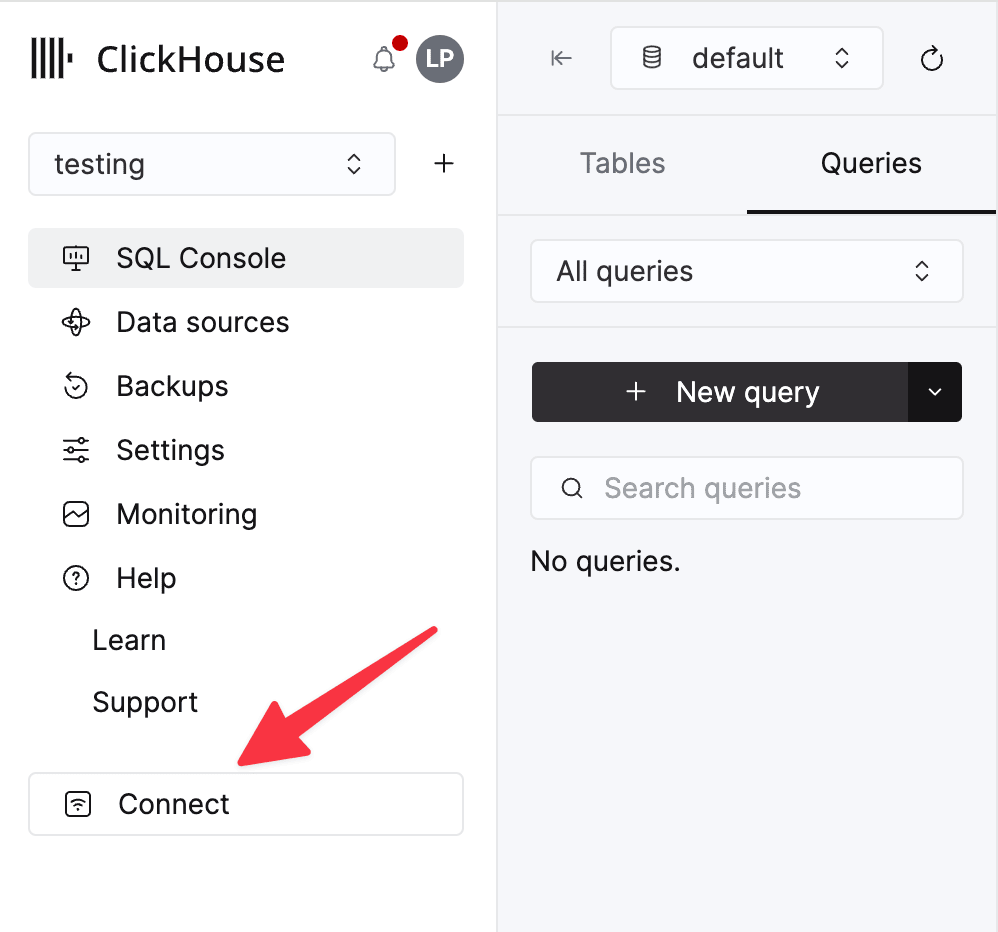
The details for your ClickHouse Cloud service are available in the ClickHouse Cloud console. Select a service and click Connect:
Choose HTTPS. Connection details are displayed in an example curl command.
If you’re using self-managed ClickHouse, the connection details are set by your ClickHouse administrator.
在 Erathos 中配置目标端
在 Erathos 中,前往 设置 > 目标端,选择 ClickHouse,然后填写以下信息:
- 主机 — 您的 ClickHouse 服务 URL (ClickHouse Cloud URL 通常以
.clickhouse.cloud结尾) - 端口 — HTTPS 连接通常使用
8443 - 用户名 — 通常为
default - 密码 — 上述账户的密码
保存配置以完成连接。
其他资源
欲了解更多信息,请参阅 Erathos 的 ClickHouse 目标端文档,或联系 support@erathos.com。